Terpsichore
Terpsichore is a GUI application enabling users to build their own custom gesture recognition/classification models using both recorded and live video footage, using Tensorflow’s MoveNet for pose recognition and a trainable classification model fro gesture recognition.
What makes it a controller is its ability to send relevant data through the Open Sound Control (OSC) protocol, which is typically used by other maker-related or artistic digital applications as the principal mean of data communication.
Info on usage and installation can be found on the README page.
Record
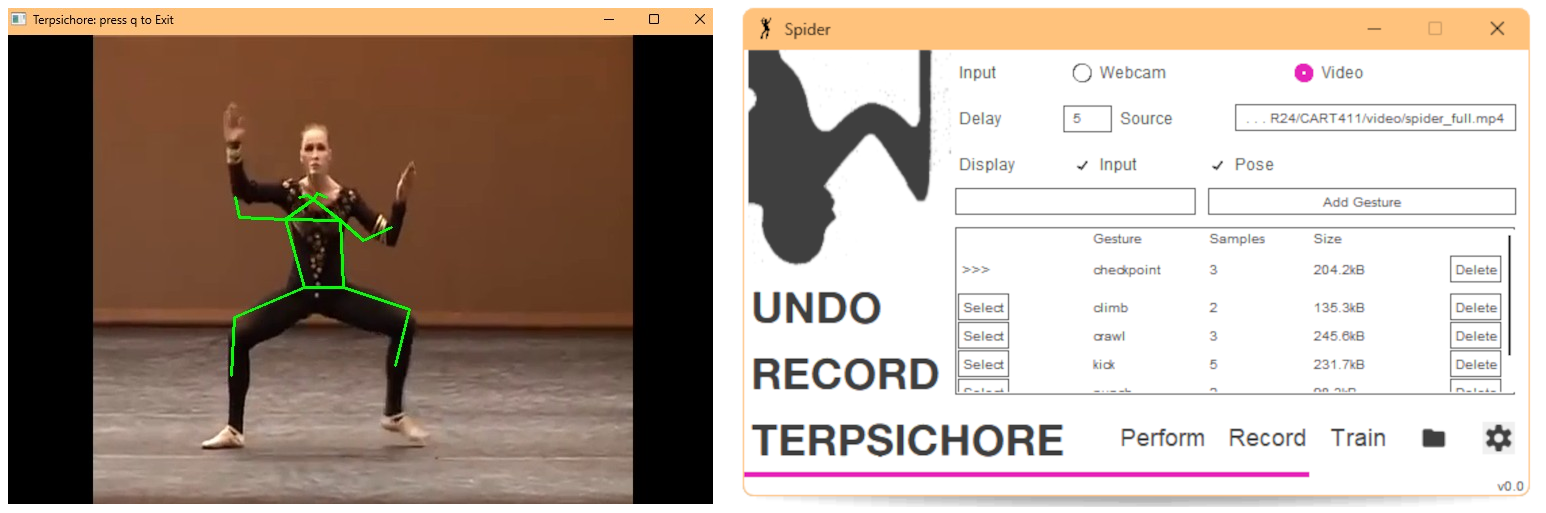
The Record page lets the user add gestures for their model to eventually classify, as well as basic management tools for them (adding, removing, …). During recording (either through video or webcam), the application records the point values of the interpolated pose in a csv file to be loaded at training.
Train
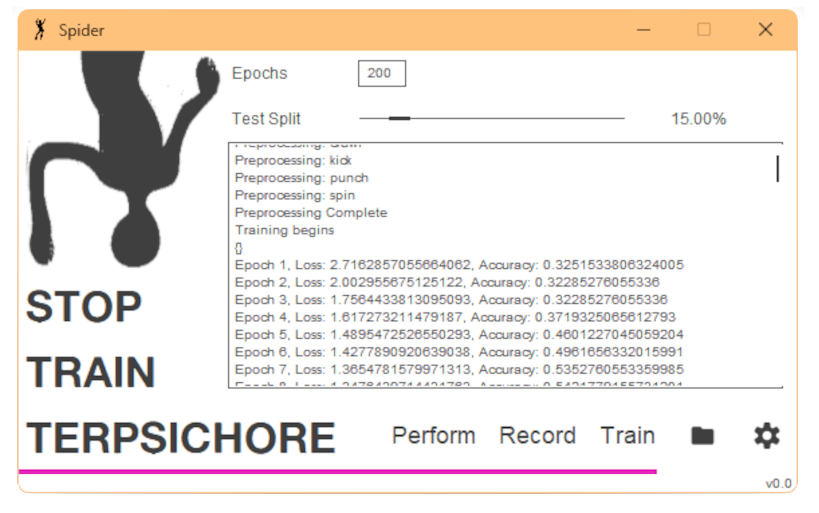
This page is where the user can launch the training of their model with the data they previously recorded. The interface is kept simple, letting them choose the epochs and test split size. Once training is launched, the user has access to training logs, current performance and the stage of training. The model is a shallow ConvNet with a set time window for sequential poses as movement.
Perform
The perform page is where the user can launch a live recording and dispatching of data, which is split in 4 parts:
- Classification: Classification of trained movements. Can be output as softmax or argmax.
- Pose data: A list of 17 points, each with an x and y value indicating their location on the canvas.
- Movement data: delta for every recorded point per frame.
- Extremity movement: aproximation of 3D movement of extremities (ankles, wrists).
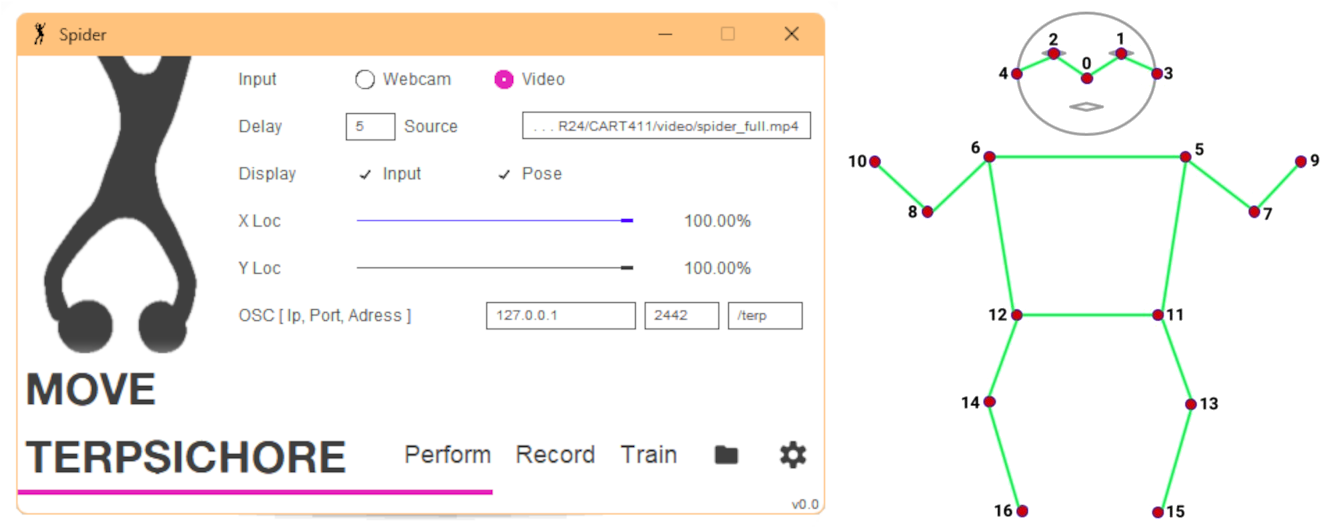
Above, the 17 points that are tracked using tensorflow’s movenet model.
Demo
A demo was created by training a model on the most recurring movements of Milena Sidorova’s “Spider” ballet. Classification and movement output is mapped to user-specifiable 3d modeling operations in Blender using this add-on I developed for this purpose.